
Writing “The End” is not always the final step of a novel.
When a writer chooses self-publishing, a new phase begins: turning the manuscript they have spent months working on into a file that readers can actually open on an e-reader or hold as a printed book.
That step can quickly become technical.
An ebook is not prepared in the same way as a paperback. A document intended for a traditional publisher does not follow the same rules as the interior of a printed novel either. Margins, pagination, trim size, table of contents, paragraph indents and chapter openings suddenly become important just when the writer thought the manuscript was finished.
**Plumelisse can now turn a writing project directly into files prepared for self-publishing, without requiring writers to rebuild their manuscript manually in another application.**
From manuscript to self-publishing
Until now, Plumelisse’s PDF and DOCX exports were primarily designed for manuscript submissions to publishers.
They remain available for exactly that purpose, with standard manuscript formatting including suitable typography, spacing, margins, paragraph indentation, pagination and an optional title page.
Self-publishing, however, requires something different.
A document that is comfortable for an editor to review is not necessarily ready to become an ebook or a printed novel.
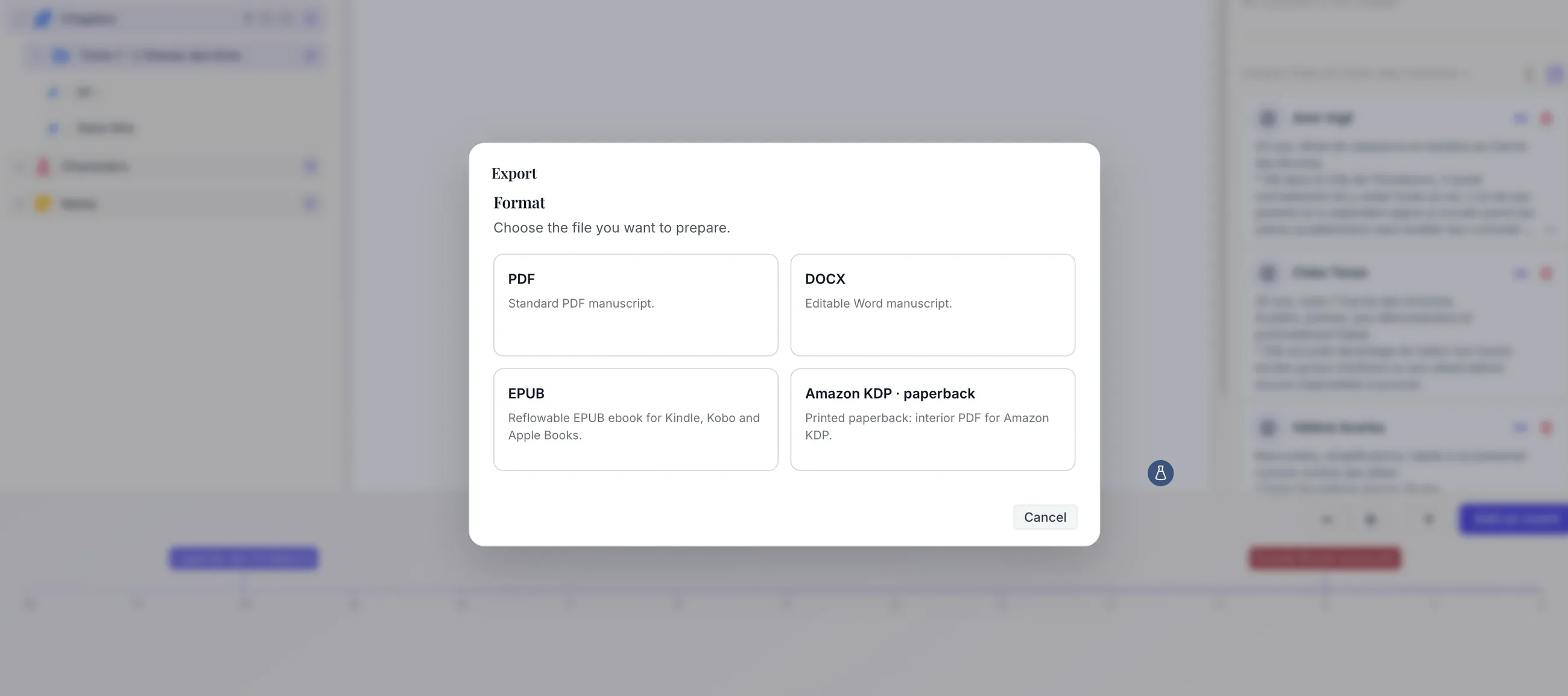
Plumelisse therefore now offers several distinct export destinations:
- PDF and DOCX for publisher-ready manuscripts;
- EPUB for reflowable ebooks;
- Amazon KDP for paperback interiors.
Writers simply choose the format they need. Plumelisse then displays only the settings relevant to that destination.
Create an EPUB directly from your novel
EPUB is designed for digital reading. Unlike a PDF, where pages have fixed dimensions, its content adapts to the screen on which it is displayed.
Readers can therefore adjust text size, font and line spacing according to their preferences and device.
Plumelisse automatically gathers the selected chapters in their correct order and creates the structure required for the digital book.
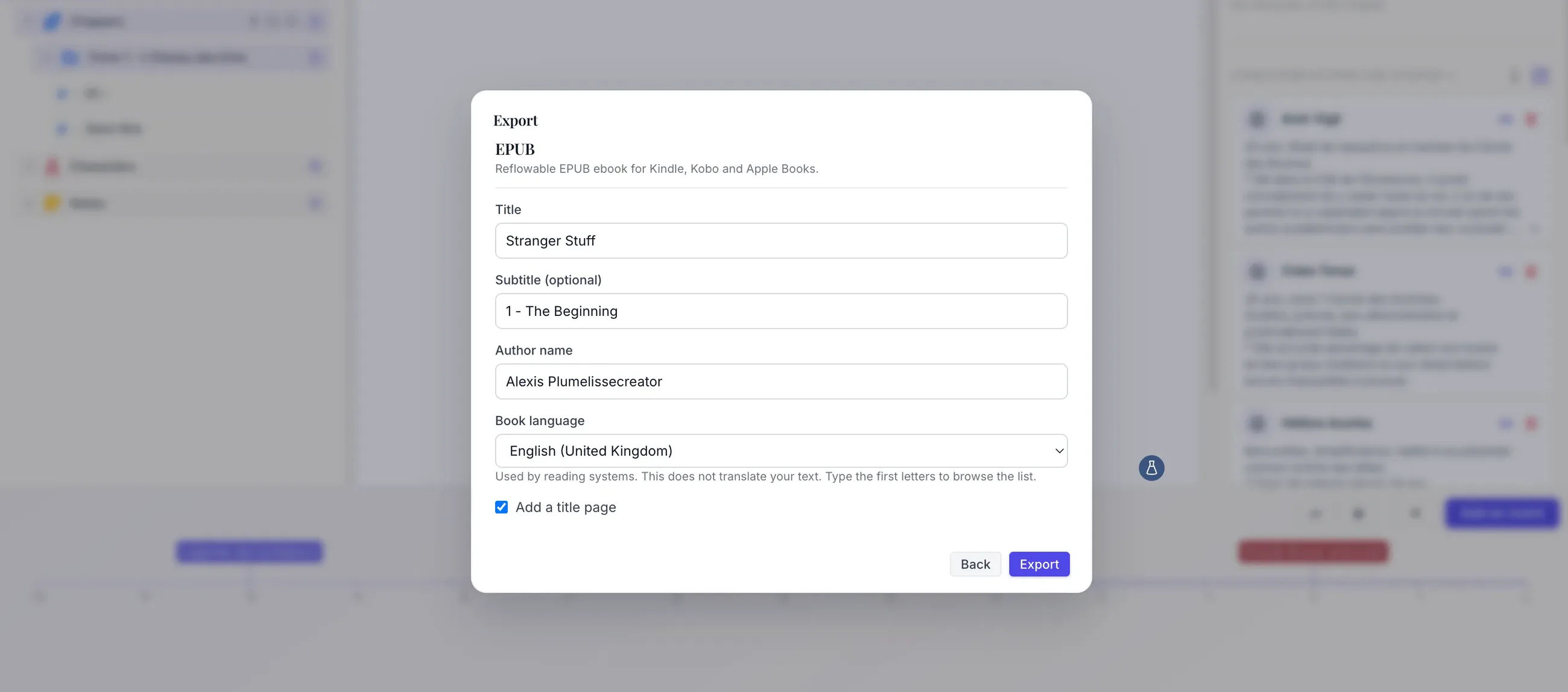
The export can include:
- the book title;
- an optional subtitle;
- the author;
- the book language;
- an optional title page;
- a native table of contents;
- the individual chapters of the manuscript.
Relevant formatting such as bold, italics and lists is preserved.
The resulting EPUB can then be used when preparing a digital edition for compatible platforms and reading applications such as Kindle, Kobo or Apple Books.
The purpose is not to lock every page into a fixed design. **An ebook remains flexible so that the reader’s device can control how the text is displayed.**
Prepare a paperback interior for Amazon KDP
Print introduces very different constraints.
Once printed, a novel has a physical size, a binding and a precise number of pages. The inner margin must leave enough room near the binding for the text to remain comfortable to read.
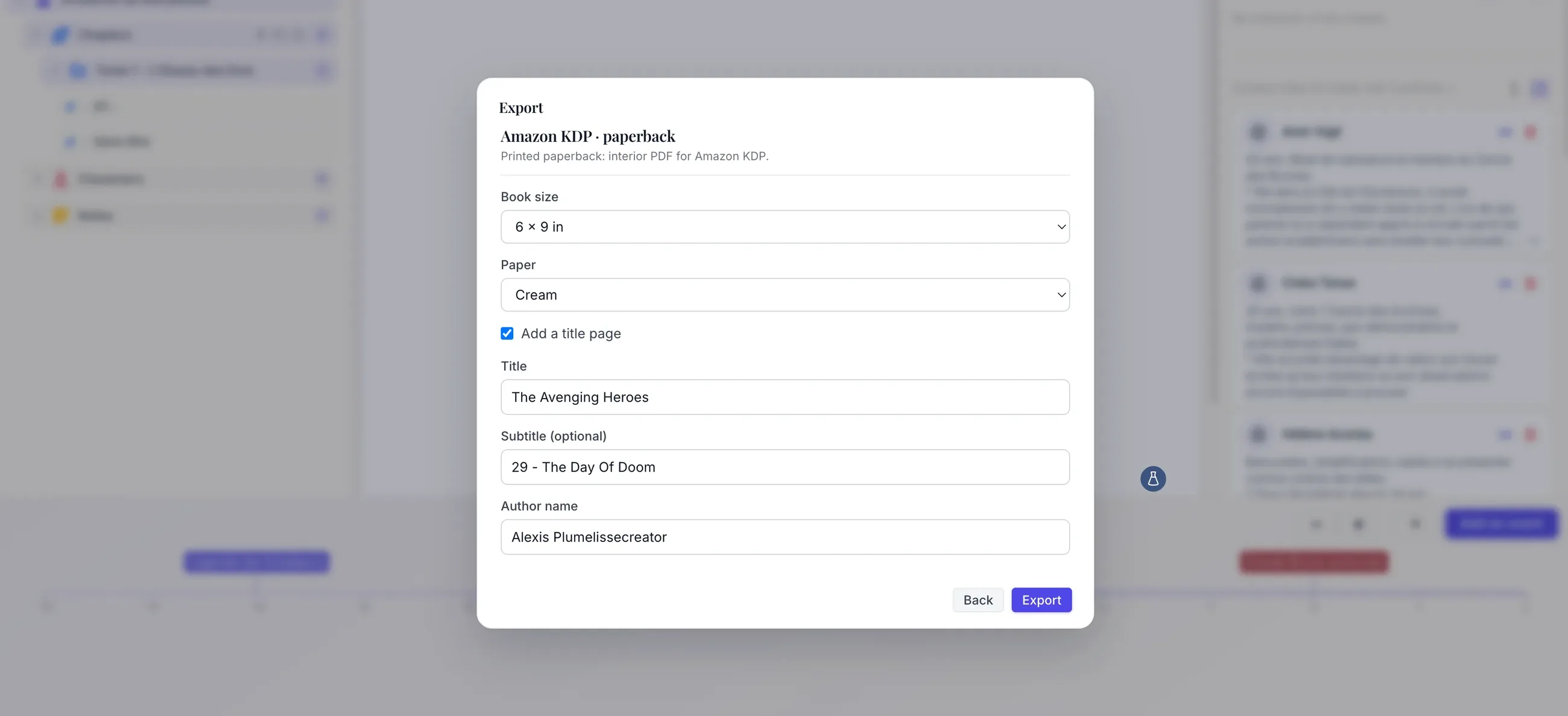
Plumelisse therefore also includes an export specifically designed for Amazon KDP paperback interiors.
Two common novel trim sizes are available:
- 5.5 × 8.5 inches;
- 6 × 9 inches.
Writers can also indicate whether they intend to use white or cream paper.
The PDF itself remains white; this choice is used to account for the relevant page-count constraints.
The resulting layout follows the conventions of a published novel much more closely than a submission manuscript.
Margins are mirrored to account for the binding side and adjusted according to the thickness of the book.
Pagination is adapted to print, and visible page numbers begin with the story rather than the title page.
Parts and chapters become part of the book structure
This update also gives the styles used while writing a more important role.
In Plumelisse, Heading 1 and Heading 2 are no longer simply visual distinctions.
For publication exports:
- Heading 1 can create a dedicated, vertically centered part page;
- Heading 2 creates a properly formatted chapter opening.
The first chapter begins on a right-hand page, while later chapters continue on the next available page.
Folder names used to organize the project inside Plumelisse are never automatically inserted into the final book.
That is intentional.
A folder may simply be a convenient way to organize chapters while writing without representing anything that should appear to readers. **The visible structure of the book therefore comes from the headings actually written inside the manuscript.**
A real distinction between paragraphs and scene breaks
Novel formatting does not stop at chapter boundaries.
A time jump, location change or switch in point of view may require a visible scene break inside the same chapter.
Plumelisse now provides a dedicated *** button for this purpose.
It creates a scene break displayed as:
* * *
The shortcut is Ctrl + Shift + Enter on Windows and Linux or Cmd + Shift + Enter on Mac.
This distinction removes a common ambiguity: an empty line does not necessarily mean that a visible scene separator should appear in the published book.
In Plumelisse:
- Enter creates a new paragraph;
- Shift + Enter creates a line break;
- an intentionally empty line remains an empty line in the editor;
- only the dedicated command creates a scene break.
The publication exports can then apply appropriate novel typography automatically.
For example, EPUB and KDP exports do not indent the first paragraph of a chapter. The same rule applies after a heading or scene break, while ordinary paragraphs keep their standard first-line indentation.
These may seem like small details, but together they help a manuscript feel like a real book rather than a word-processing document.
One writing project, several destinations
Another goal of this update was to avoid creating multiple versions of the same novel just to prepare different exports.
The same Plumelisse project can now produce different files depending on what the writer needs.
You can export:
- an entire project;
- a folder and its subfolders;
- an individual chapter.
A single project can therefore generate a DOCX for a publisher, an EPUB for the digital edition and a dedicated PDF for the paperback edition.
**The manuscript remains the source of truth. The export format adapts to its destination.**
Plumelisse does not publish the book on your behalf
This remains an important distinction.
Plumelisse prepares the files but does not automatically submit them to Amazon, Kobo, Apple or another publishing platform.
It does not generate the commercial book cover either. For print books, the final cover depends in part on the selected trim size and the thickness of the finished book.
The writer therefore remains in control of the final publishing process: reviewing the exported file, preparing the cover, entering commercial information, setting the price and submitting the book to the chosen platform.
This keeps the technical preparation simpler without removing the control that makes self-publishing attractive in the first place.
If you are still deciding between independent and traditional publishing, you can also read Self-publishing vs publisher: which path should you choose to publish your book?.
Write, organize, then publish
Self-publishing offers considerable freedom, but that freedom often comes with a long list of technical tasks that only become visible once the manuscript is finished.
Plumelisse aims to reduce that break in the writing process.
You can already use it to write chapters, organize a project, manage characters, keep notes and build the chronology of your story. Now, when the manuscript reaches the end of that journey, it can also be transformed into a format designed for its next destination.
PDF or DOCX for a publisher. EPUB for the digital edition. A KDP PDF for the printed paperback interior.
Writing remains at the center of Plumelisse, but the project no longer has to stop at the final word of the manuscript.
Explore the available tools on the Plumelisse features page or start using Plumelisse before upgrading to Premium when you need the advanced export features.