
Summer 2026 was a particularly busy season for Plumelisse.
Over just a few weeks, several updates were released with the same objective: making the writing workspace faster to use, more comfortable for large projects and more reliable in everyday use, while also starting to support writers beyond the writing stage itself.
Keyboard shortcuts, new login options, stronger account security, search for notes and characters, expanded views, improved handling of connection problems, a collapsible timeline and new self-publishing export formats all progressively changed the experience.
**Here is everything that changed in Plumelisse during summer 2026.**
Keyboard shortcuts for faster navigation
The first major improvement of the season focused on how writers interact with the application.
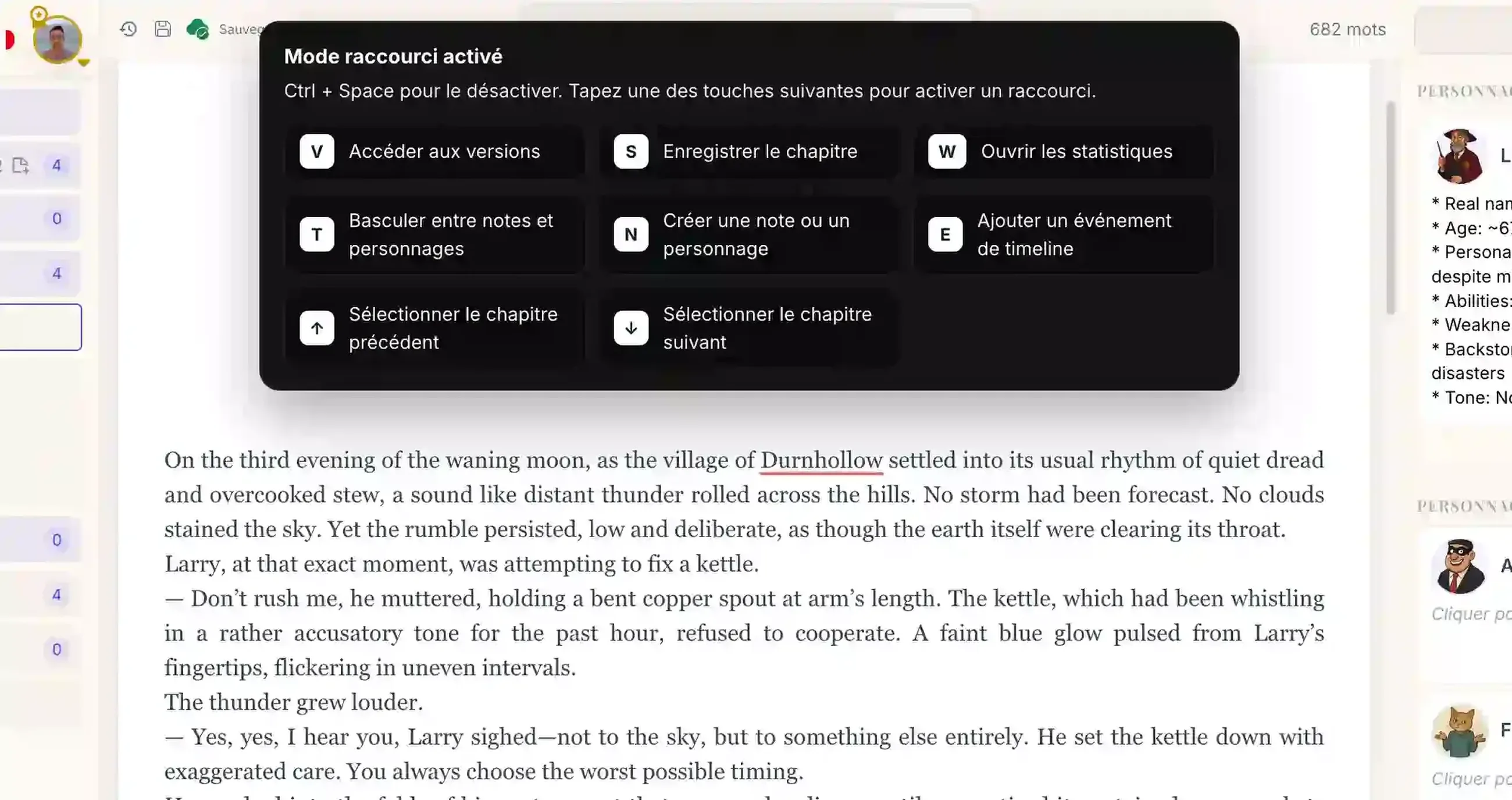
Since version 1.3.0, Plumelisse includes a keyboard shortcut system that allows several actions to be performed without constantly returning to the mouse.
The principle is intentionally simple: pressing Ctrl + Space activates shortcut mode and displays the available commands. You can then press the corresponding key to trigger the action you need.
This makes it easier to navigate the writing environment and access common actions while staying focused on the manuscript.
These commands complement the shortcuts already available directly inside the editor for text formatting.
Discreet pop-ups for discovering features
The same update also introduced welcome pop-ups for free accounts.
Their purpose is to occasionally introduce some of Plumelisse's possibilities, including advanced Premium features, without turning the application into a succession of promotional messages.
Only one pop-up can therefore be displayed during a session.
The idea is mainly to help writers gradually discover tools that they may otherwise overlook.
Signing in to Plumelisse no longer requires Google
Until then, access to Plumelisse primarily relied on a Google account.
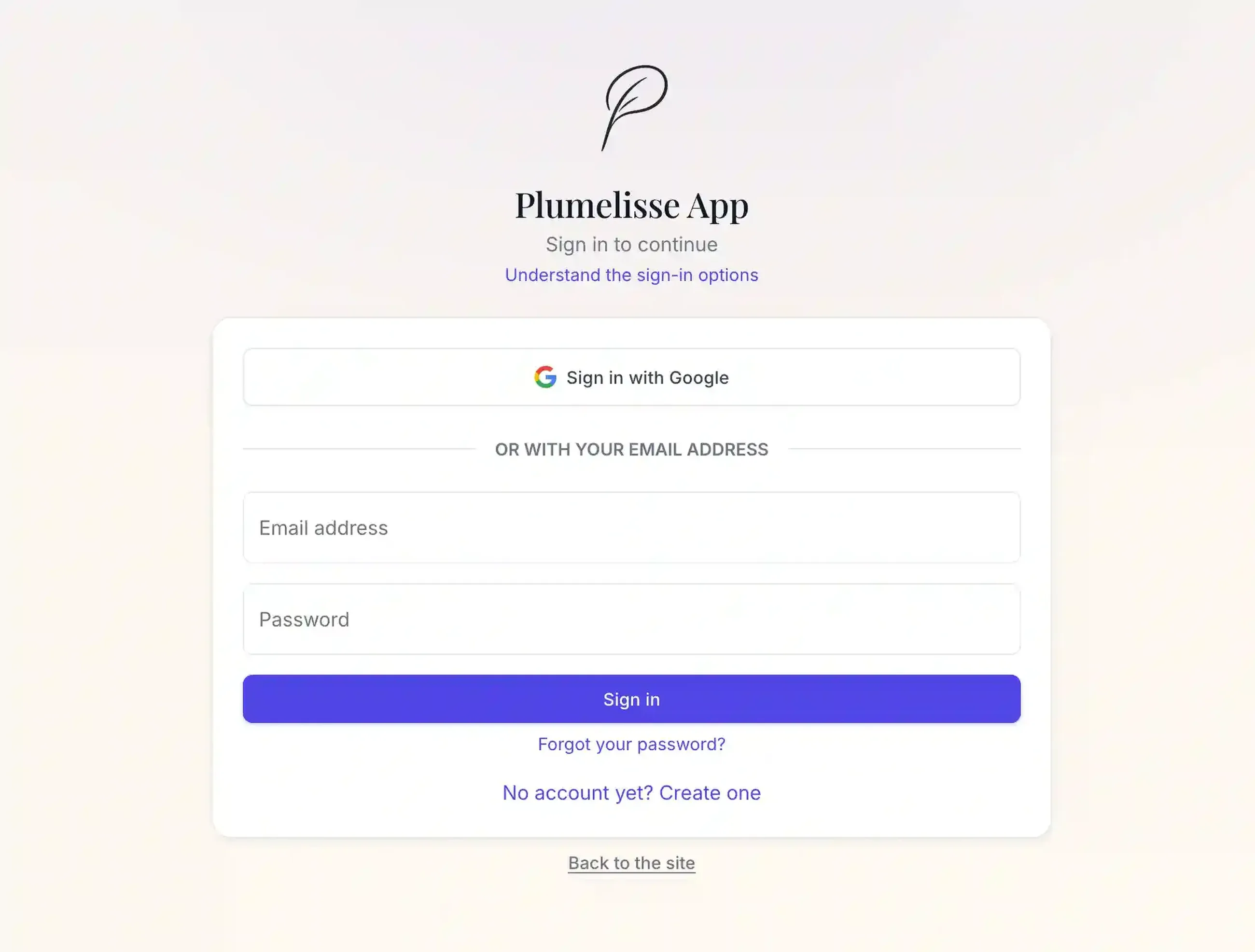
Version 1.4.0 significantly changed this part of the application by introducing traditional accounts using an email address and password.
Writers can now choose how they want to sign in: continue using Google or create their own Plumelisse credentials.
Traditional account registration also includes email verification to confirm that the address belongs to its user.
This notably makes Plumelisse accessible to writers who do not want to connect their writing workspace to a Google account.
Stronger security with two-factor authentication
Traditional accounts were accompanied by another important addition: email two-factor authentication.
It can be enabled from the account page.
Once activated, entering the correct password is no longer enough to complete the login. Plumelisse also sends a temporary six-digit code by email, which must be entered before the session can be opened.
A complete password reset process was introduced at the same time for forgotten credentials.
**Summer 2026 therefore marked an important step forward for account management and security in Plumelisse.**
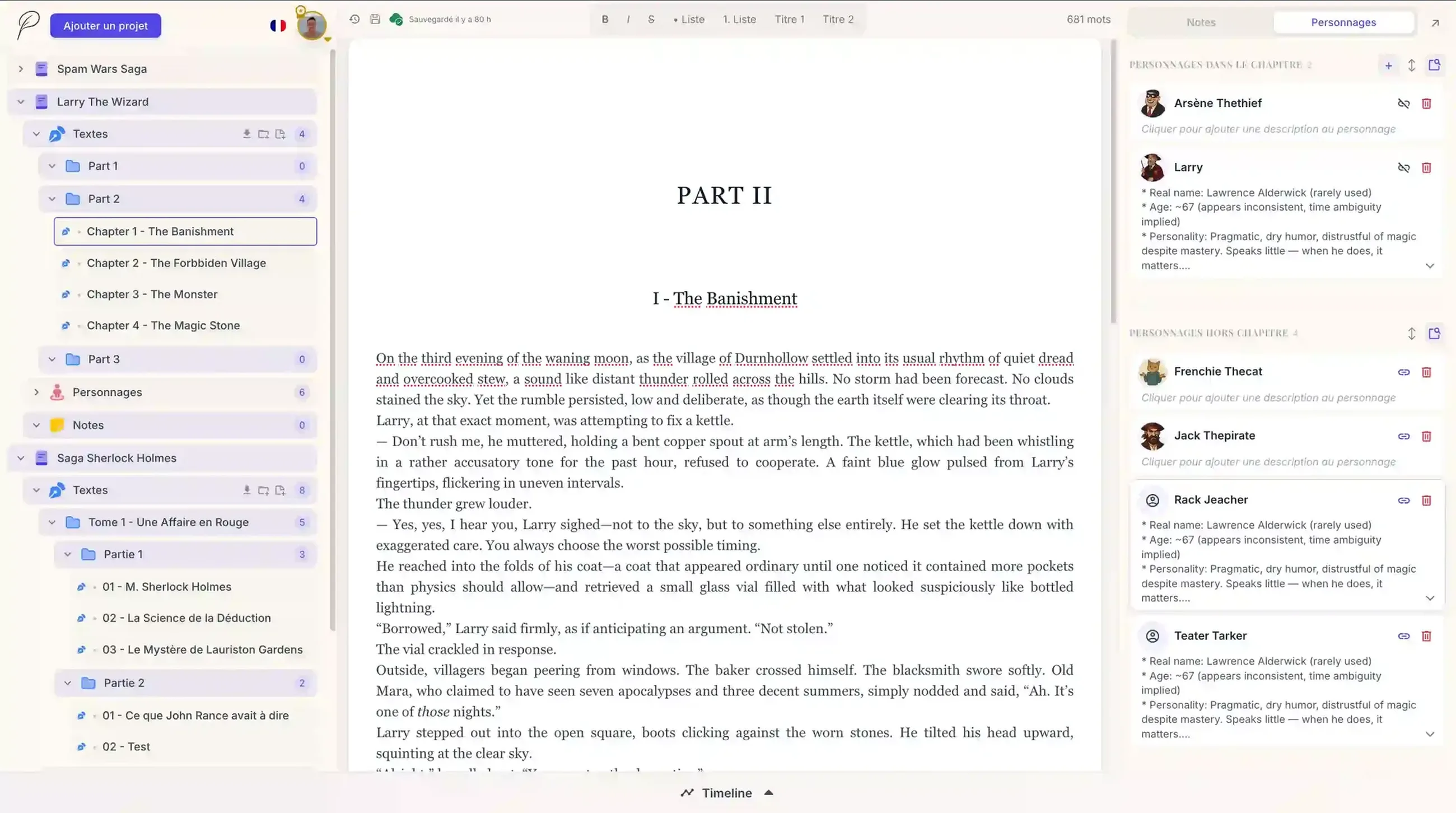
Notes and characters are much easier to browse
Version 1.5.0 then addressed a problem that becomes increasingly noticeable as a novel grows: how can the interface remain comfortable when notes and character sheets start accumulating?
Note and character cards can now be collapsed and expanded.
A long description therefore no longer needs to occupy a large portion of the panel at all times. It can remain compact until the writer actually needs to read it.
It may seem like a small change, but it becomes particularly useful in projects containing large amounts of information.
Search for information instead of manually looking for it
Another major addition is dynamic search.
Premium members can now enter a keyword to quickly locate a note or character instead of manually browsing the entire list.
For a novel containing only a few characters and notes, the difference may initially seem limited.
For a series, a complex fictional universe or simply a manuscript that has accumulated dozens of reference sheets over several months, the benefit becomes much more significant.
Notes and characters can also be sorted to change their display order. Unlike search, sorting is available to every user.
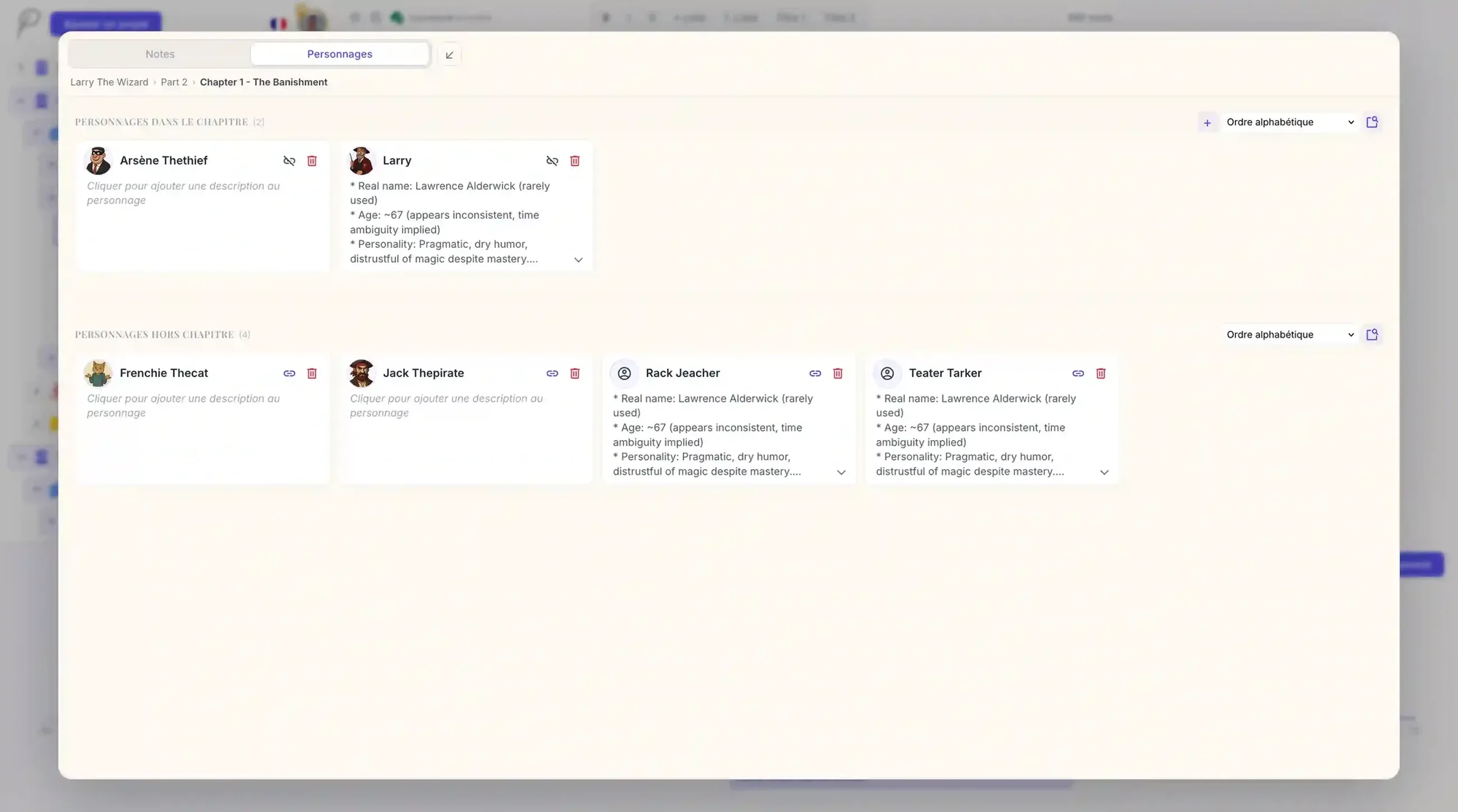
An expanded view for working comfortably on detailed information
Notes and characters are an integral part of the Plumelisse writing workspace: the intention has always been to make them accessible without forcing writers to leave their current chapter and navigate to another page.
Summer 2026 pushed that principle further with the expanded view.
A card can now use much more space for reading and editing while remaining directly integrated into the main interface.
This makes it easier, for example, to work on an especially detailed character description or a long planning note before immediately returning to the manuscript.
**The principle remains the same: keep the manuscript, characters, notes and organizational tools within a single workspace.**
Synchronization redesigned to better protect changes
Not every improvement released during the summer was immediately visible.
One of the most important concerns what happens when a change cannot be properly synchronized with Plumelisse.
An Internet connection can disappear for a few seconds. A session can encounter a problem. A browser may lose a request just after the writer has changed an important piece of information.
These situations are now handled much more carefully.
When synchronization is interrupted, Plumelisse alerts the user and keeps changes that have not yet been synchronized in memory. New attempts are then made until the connection or session becomes available again.
The objective is straightforward: reduce as much as possible the risk of a temporary network problem causing a recent change to disappear.
This redesign is accompanied by several less visible optimizations intended to make dynamic interface updates and saving more reliable.
A timeline that can now get out of the way
With version 1.5.1, the timeline became collapsible.
A narrative timeline is particularly useful when tracking events in a novel, checking dates, managing multiple periods or organizing flashbacks.
But it does not need to occupy a significant part of the screen during every minute spent writing.
It can therefore now be collapsed whenever it is not required and expanded again as soon as the writer needs it.
This leaves more room for the manuscript and the other parts of the project without requiring the writer to leave the main workspace.
From writing to self-publishing with new export formats
Summer ended with another major development in version 1.6.0, released on September 12, 2026.
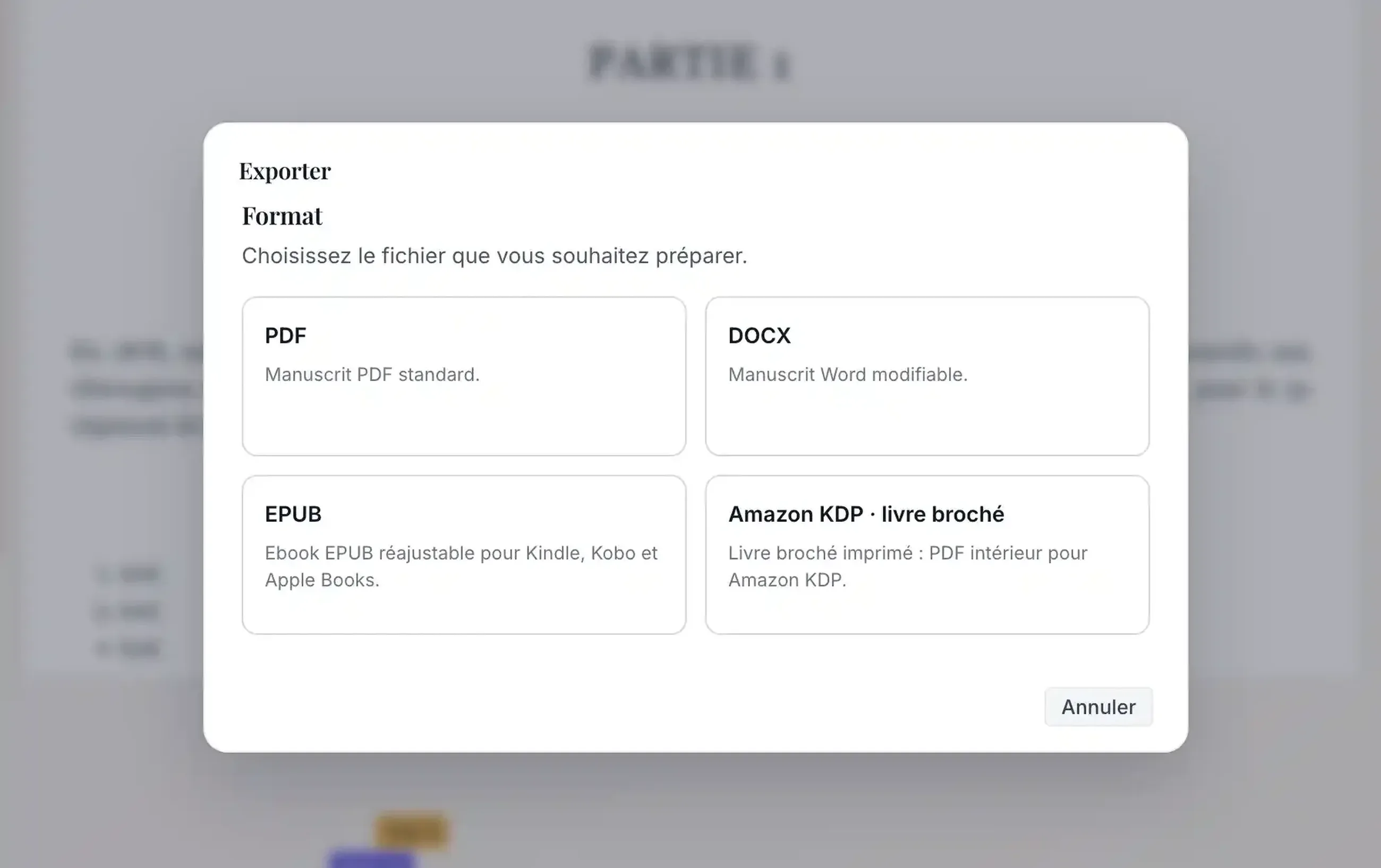
Premium members could already export their manuscripts as PDF or DOCX files using formatting designed to produce a clean document for proofreading or submission to a publisher.
The export system now goes significantly further by also supporting writers who want to self-publish their books.
A new EPUB 3.3 format can generate a reflowable ebook for e-readers and ecosystems such as Kindle, Kobo and Apple Books. Unlike a fixed PDF, its content adapts to the reader's screen size and reading preferences.
For print publishing, Plumelisse can also generate an interior PDF for Amazon KDP paperbacks, using either the 5.5 × 8.5 inch or 6 × 9 inch trim size.
The layout is very different from a manuscript intended for a publisher: mirrored margins account for the binding, while page numbering, chapter openings, part pages and typography are prepared to resemble an actual novel interior.
The styles used during writing now also play a more important role. A Heading 1 can become a dedicated part page, while a Heading 2 structures the beginning of a chapter.
Writers can still choose exactly what they want to export: an entire project, a folder and its chapters, or an individual chapter.
**A single Plumelisse project can therefore serve several destinations: a PDF or DOCX manuscript for a publisher, an EPUB for digital publication, or a print interior PDF for an Amazon KDP paperback.**
Plumelisse prepares these files but does not automatically publish the book to the different platforms. Writers remain in control of publication and can review the generated files before uploading them.
This nevertheless represents an important step: Plumelisse no longer only supports the writing and organization of a novel, but also begins to make the transition from finished manuscript to publishable book easier.
Smaller improvements throughout the summer
These releases also included a number of fixes and optimizations.
Dynamic saving was improved, several display issues were corrected — including problems affecting Chromium-based browsers and mobile devices — and deleting folders containing chapters was improved to make the consequences of the action clearer.
Several technical components used by Plumelisse were also updated to maintain the application's security and reliability.
These changes may be less noticeable than a brand-new feature, but they directly contribute to a more comfortable everyday experience.
A writing workspace that supports authors further than before
Taken individually, some of this summer's changes may appear fairly small.
Collapsing a timeline. Reducing the size of a character card. Adding a keyboard shortcut.
Others, such as EPUB and Amazon KDP exports, open entirely new possibilities.
Together, they progressively change the way Plumelisse supports a writing project.
The application needs to remain simple when a writer creates a first project and begins drafting a few chapters. It must also remain comfortable when that same project eventually contains dozens of chapters, characters, notes and narrative events. And once the manuscript is finally complete, it should be able to help its author move on to the next stage.
**The goal is not to accumulate as many features as possible, but to ensure that Plumelisse remains useful as stories grow, from the first idea to the finished manuscript and its publication.**
Summer 2026 therefore strengthened ease of use, information organization and workspace reliability while also opening a new chapter in preparing books after the writing process.
And development continues.
You can find every release in detail in the Plumelisse changelog, explore all available tools on the Features page or start your own writing project for free.